
Use the Publication Detail View to enter details of project related publications (e.g., magazine or journal articles). You can enter a publication name, title for the article, author, URL, description, year and page numbers.
To access this screen, go to the Projects > General screen and select Data from the drop-down list on the left. Click Add in the Publications section.
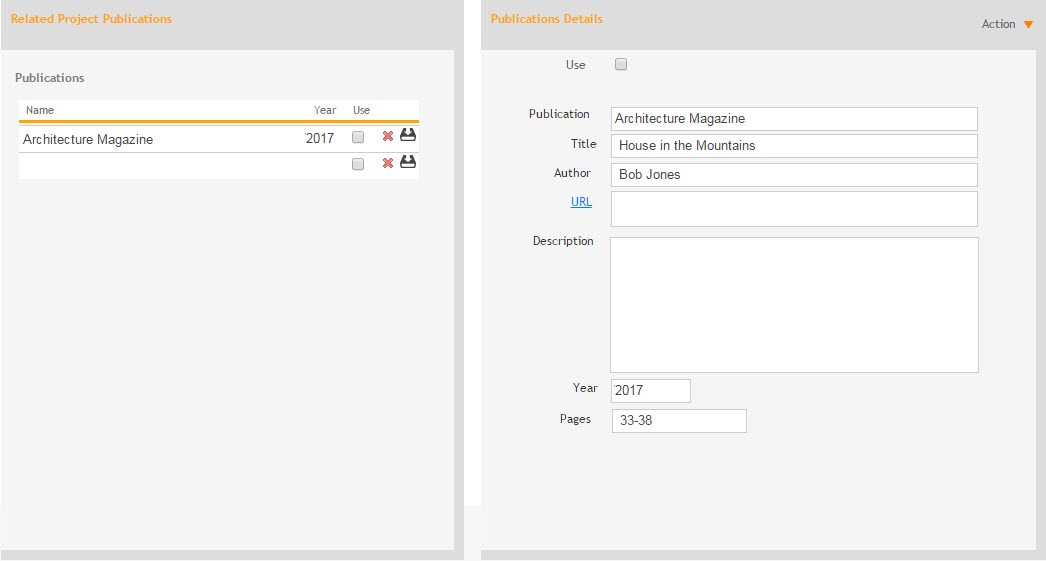
Related Project Publications
Name:
Publication name.
Year:
The year the publication was published.
Use:
Select this check box to specify which project publications you want to include in the export for mail merging to new marketing materials.
Delete  :
:
Click to
delete a listed publication.
Update  :
:
Click to
save changes made to a listed publication.
Publication Details
Action
Help:
Opens the ArchiOffice Online Help in the Publication Detail View section.
New:
Select this option to add a new project related publication.
Delete:
Select to delete a listed publication.
Save:
Select to save changes made to a publication's details.
Use:
Select this check box to include a project publication in the export for mail merging to new marketing materials.
Publication:
Enter the name of the magazine or journal.
Title:
Enter the article title.
Author:
Enter the author's name.
URL:
Enter the web address of the publication, if available.
Description:
Enter descriptive detail of the publication.
Year:
Enter the year in which the article or book was published.
Pages:
Enter the page number of the article or book published.